Lifetime personal license, one-time purchase with lifetime updates and dedicated support, for use in non-commercial projects only.
Lifetime commercial license, one-time purchase with lifetime updates and dedicated support, allowing use in commercial and client projects.
Yearly subscription personal license. The displayed price is the monthly equivalent; billing renews yearly and includes updates and support during the active subscription period, for non-commercial use only.
Hi, I’m Tibi, the script’s developer. I’ll help you install and configure it on your page, then thoroughly test everything to ensure flawless performance—so you can focus on running your site.
Hi, I’m Tibi, the plugin developer. I’ll install and configure the plugin for you, then thoroughly test everything to ensure flawless performance—so you can focus on running your site.
I’m Tibi, the developer behind Acora. I’ll handle the entire setup—installing the theme, importing your chosen live demo, fine-tuning every setting, and thoroughly testing to ensure everything runs flawlessly—so your site is ready to shine from day one.
I’m Tibi, the developer behind every plugin, script, and theme in this bundle. I’ll personally assist with installation and configuration of any item, then thoroughly test each one to ensure flawless performance—so you can focus on running your site.

Filmstrip Photo and Video Slider
──────9Sales .WordPress & WooCommerce Plugin
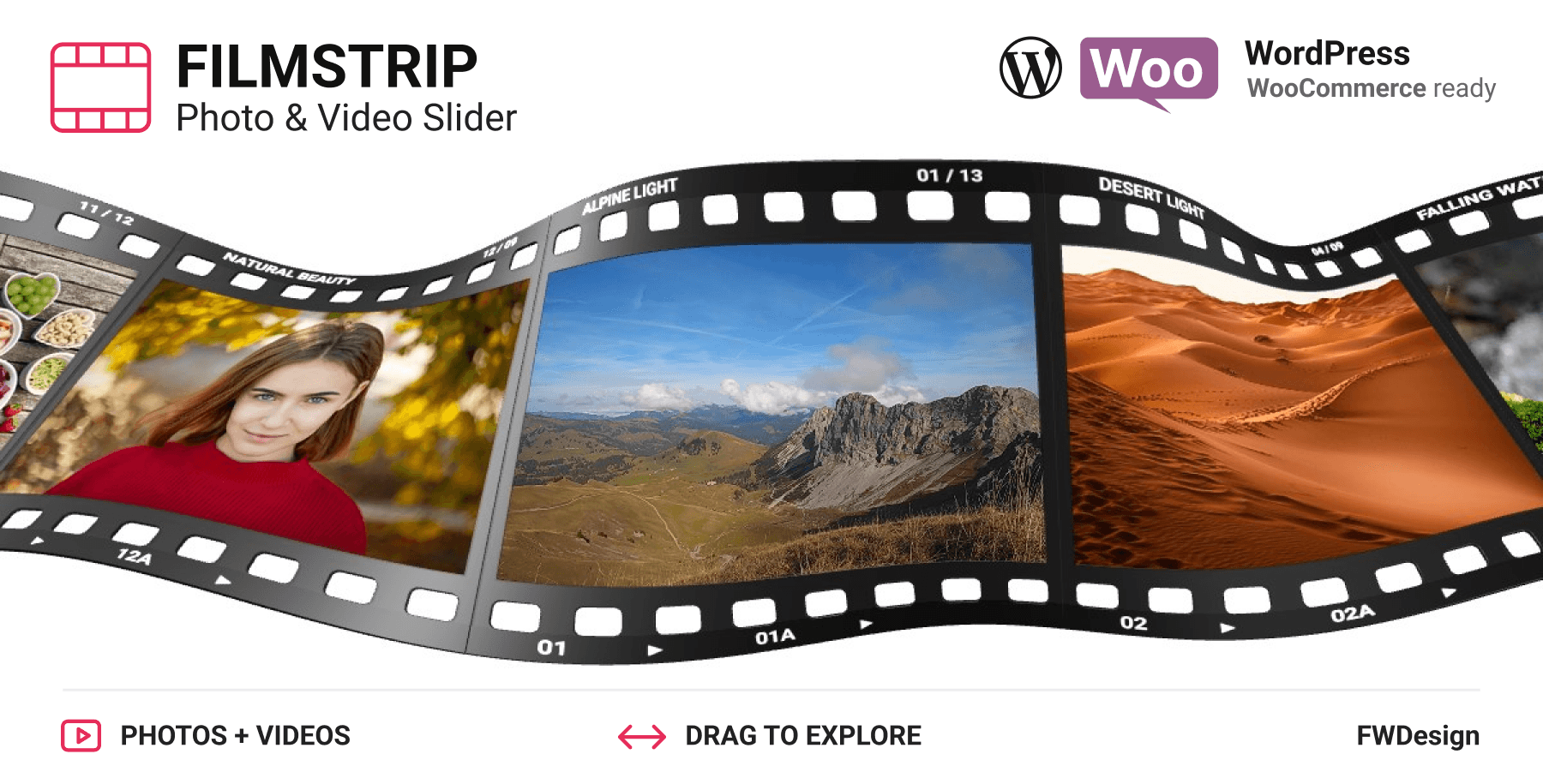
Filmstrip Photo & Video Slider gives your work a different way to move. A flowing 3D filmstrip draws visitors in; a click opens each frame into a collection of photos and videos. Drag, swipe and explore with smooth transitions, expressive captions and effects you can make your own. Built for photography, films, creative portfolios and product galleries, with JavaScript, WordPress and WooCommerce editions.
Select Options
My products can be purchased as a one-time lifetime license or accessed via a yearly personal subscription. Both options include free lifetime updates and dedicated support.
Difference
Is
In
The
Details
Features
A Filmstrip That Feels Alive - guide visitors through a detailed 3D ribbon with film perforations, custom titles and frame codes. Drag or swipe to explore as the strip bends naturally with the motion.
Every Frame Opens a Collection - select a frame and watch it move to the center before opening into a draggable gallery. Mix landscape and portrait photos with looping videos, then return to the filmstrip without losing your place.
Your Look, Your Rhythm - shape the curve, tune the movement and style the captions. Choose full color or monochrome-to-color hover, and add flowmap, wave, grid or noise effects to give your gallery its own character.
From Portfolio to Product Gallery - embed the slider in a page section or fill the viewport. Integrate it through JavaScript, manage galleries and presets in WordPress, or replace a WooCommerce product gallery with an interactive filmstrip.


Draw them in. Open a story. Keep them exploring.
Real 3D Film Frames
Present your media on a detailed film ribbon with perforations, custom titles and individual frame codes.
Photos & Videos
Mix JPG, PNG and WebP images with video clips in the same collection, complete with posters and optional captions.
Filmstrip to Gallery
Click a frame to bring it to the center and open its collection. Close the gallery to return to the flowing filmstrip.
Natural Image Ratios
Show portrait, landscape and square collection media at their natural proportions, with configurable spacing between items.
Drag & Swipe
Explore with mouse dragging on desktop or touch gestures on mobile, with smooth movement throughout the experience.
Mouse-Wheel Navigation
Enable mouse-wheel input separately for the filmstrip, collection gallery and category selector to suit your layout.
Collection Preview Arrows
Navigate between collections with arrows that reveal film previews, so visitors can see what is coming next.
Vertical Filmstrip Selector
Open a draggable vertical selector to choose another collection without returning to the main ribbon.
Customizable Captions
Style titles and descriptions with your own font, sizing, spacing and colors, or leave them out for an image-first presentation.
Direct Links
Enable deep linking to open a specific photo or video directly. Share individual moments or let visitors bookmark them.
Curved or Straight
Adjust the filmstrip bend and movement, or choose a straight ribbon for a cleaner, more restrained presentation.
Animated Transitions
Tune intro spacing and transition timing to control how the filmstrip arrives, opens a collection and returns to browsing.
Color & Monochrome
Keep every frame in full color or reveal color on hover. Customize film colors, labels, captions and controls.
Flowmap Distortion
Add flowing distortion that follows the pointer, bringing a fluid response to the filmstrip.
Wave Motion
Give the ribbon a wave effect and tune its character to complement the photography or video on display.
Grid Distortion
Use pointer-driven grid distortion for a different interactive treatment of your media.
Noise Effects
Add a noise effect to change the finish of the gallery and create a distinct visual style.
Frames That Open Links
Configure a frame to open a link instead of a collection, connecting the filmstrip to another page or destination.
Responsive Layouts
Embed the gallery inside a section or fill the viewport. Navigation and typography adapt to the available space.
Visibility-Aware Video
Visible videos play muted and loop without player controls. Hidden videos pause, and inactive video decoders are released.
On-Demand Media
Load posters first and collection media as needed, keeping the initial gallery from downloading every full-size asset at once.
JavaScript API
Open collections, navigate items, listen to events, pause playback and destroy an instance cleanly for custom integrations.
WordPress Galleries & Presets
Organize media and categories in Galleries Manager, save appearance settings in Presets Manager and insert galleries with a shortcode.
WooCommerce Integration
Assign a preset and gallery to a product. Replace its images in the image column or use a full-width layout, with classic template and gallery-block support.

Future Web Design was born out of pure passion. In the early 2000s, using only a browser, Tibi began experimenting with Adobe Flash. From there, things naturally progressed, leading to the creation of standalone applications and websites. For me, this is not just work – I genuinely love what I do.
Contact information
Phone: +00744484259
Address: 35 WARFIELD RD - BEDFONT - LONDON
Email: tibi@fwdapps.net
© Future Web Design - 2026

