Interactive 3D product customization

Build your product. Design it in 2D or 3D.

Choose interchangeable parts, then personalize editable surfaces with text, images and artwork. Build a ring, assemble a watch or design apparel in 2D and 3D, all in the same customizer.

Connected views One design, shared between the 2D canvas and the 3D model.
Print-ready 3D previews and separate 2D artwork for print production.
JSON-driven Configure model parts, cameras, materials, libraries and controls.

Product builder or builder and designer

Let customers choose the parts that make a product their own, then decide where they can add a personal design. Use the same application for a guided product builder or a combination of interchangeable parts and editable artwork.

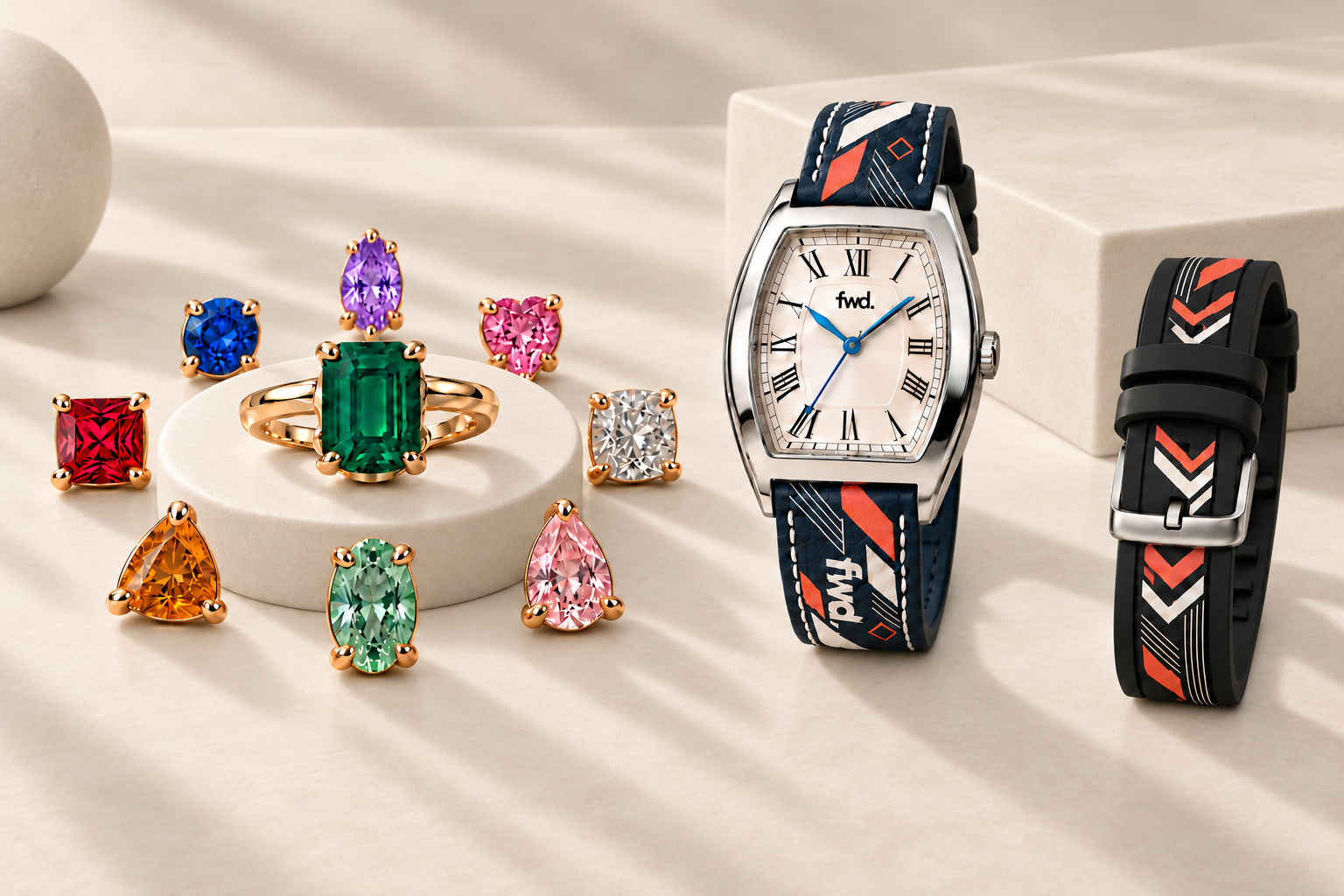
Illustration of a gold emerald ring surrounded by eight evenly spaced alternative gemstones around its circular stand beside an FWD watch with personalized straps

Build from prepared parts

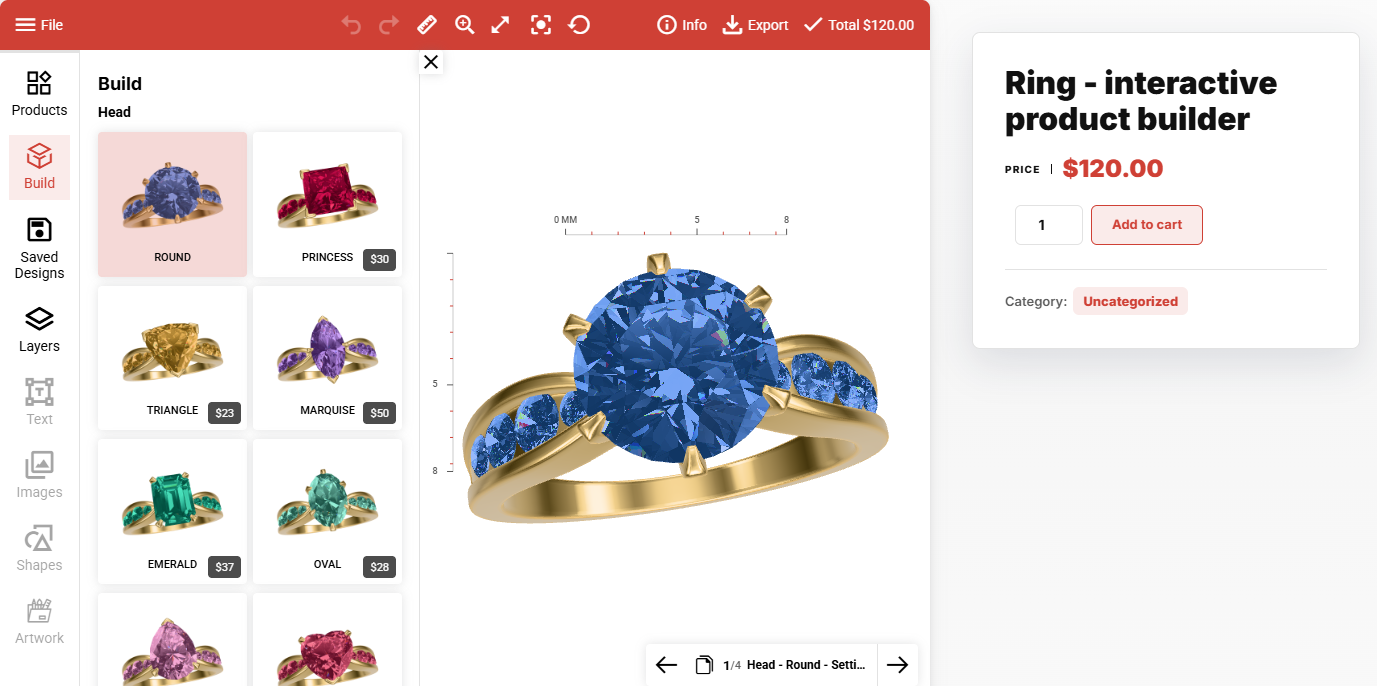
Offer a clear set of choices without opening an artwork editor. In the ring example, customers choose a gemstone shape and see its matching setting on the ring, with the selected combination shown in 3D.

  • Organize alternative model parts into Build options, with linked pieces switching together.
  • Set a price for each option and update the total as customers make their choices.
  • Keep text, image and material editing disabled where the product needs a controlled finish.

Build it, then personalize it

Combine product choices with design tools on selected surfaces. In the watch example, customers choose a case, dial and strap, then add artwork to editable leather or rubber straps.

  • Add text, logos, uploaded images and shapes to the parts you allow customers to edit.
  • Work directly on the 3D model or in the linked 2D canvas, with the same design shown in both.
  • Define print areas and editing permissions per view, while keeping the other parts protected.

Build for your industry

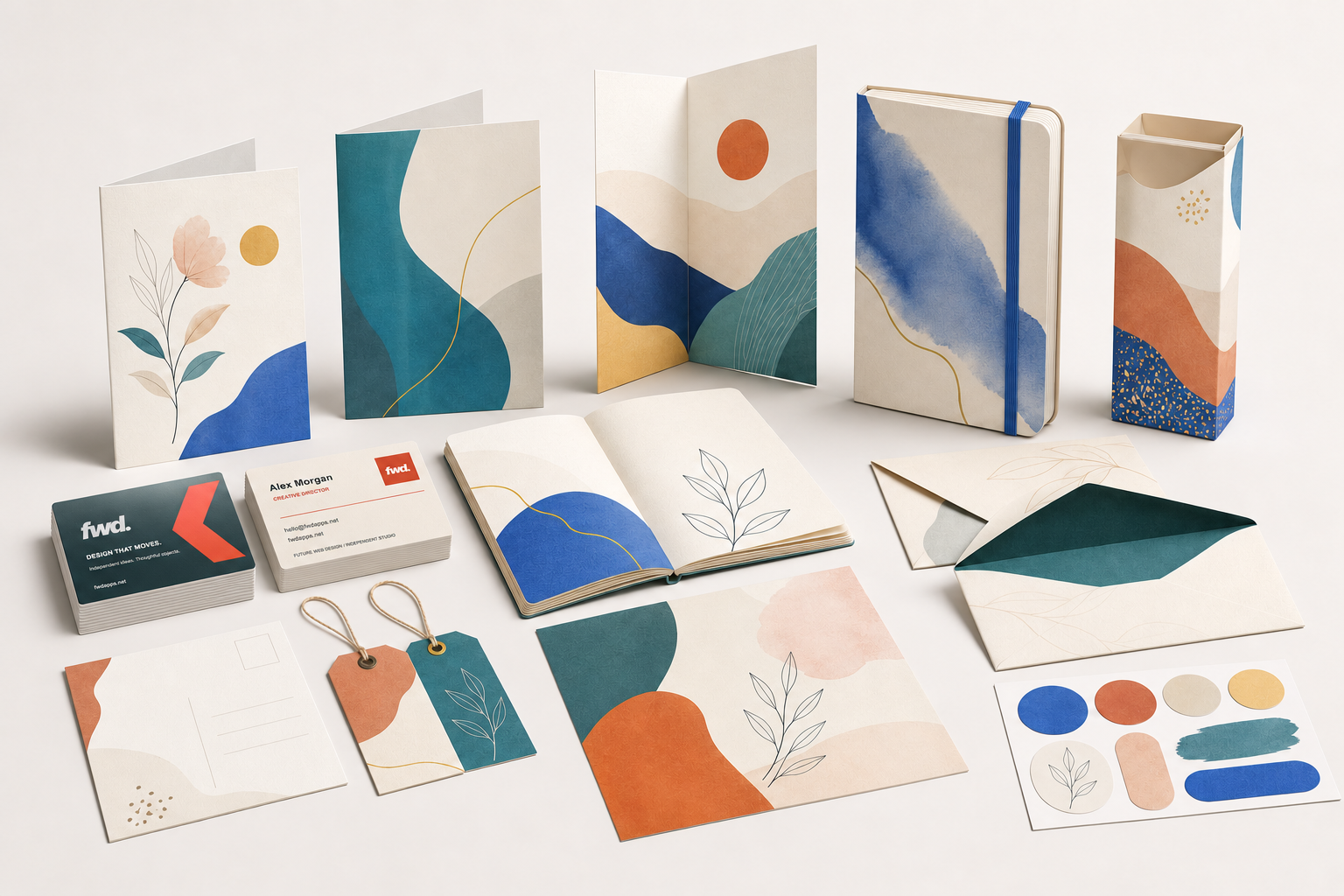
Start with the included shirt, cap, mug, bag, shoe, phone case, heart pillow, ring, watch or business card, or bring your own self-contained GLB model. Each product can have its own editable parts, cameras, materials, print areas and content libraries. Artwork mapping depends on the model's UV layout.

Industry example

Apparel

Place artwork on the front, back and sleeves of a 3D garment. Synchronize colors between matching parts, choose fabric or other material presets, and control exactly where customers can add content.

FWD shirt, Field Club cap and custom Oxford shoes based on the included 3D products

Main Features

The core editing tools are built for real product customization: customers work visually, while product owners keep control through JSON settings, permissions and export rules.

One design, two workspaces

Switch between 2D and 3D or show them side by side in either order. Each window has independent zoom, while artwork and layer changes stay synchronized.

Text editing and templates

Add editable text, custom fonts, font weights, line height, letter spacing, stroke, shadows and curved text presets.

Colors and materials

Adjust part colors and choose fabric, leather, metal, glass and other presets. Fine-tune supported material properties for one part or the whole product.

Layers and permissions

Control visibility, locking, ordering, selection, deletion, duplication, reset behavior and layer-name editing.

Transforms and alignment

Scale, rotate, skew, flip, align, snap to center and constrain objects inside print boxes or custom masks.

Create a product from a GLB

Generate a starter ZIP with the model, product JSON, transparent previews and UV silhouettes. Review the generated views and print dimensions before publishing.

Default import limits: 100 MB, 128 mesh parts and 2,000,000 vertices. Read the model requirements.
Modules and Libraries

Every major content source has its own module. Libraries are loaded from JSON files, so reusable product data stays separate from text, image, shape and artwork assets.

Products Switch between complete product JSON files with their own views, assets and bounds.
Saved Designs Save snapshots, dispatch events for backend storage and reload saved designs.
Add Text Load reusable text templates with typography, price and editing permissions.
Add Images Show reusable PNG, JPG and SVG items plus browser upload and drag/drop.
Artwork Library Use categorized artwork, search, per-category removal rules and object defaults.

3D Product Setup and Order Workflow

Learn how to turn a GLB model into a customizable 3D product, configure its views, materials and print areas, and let customers add their own designs. Follow the WordPress and WooCommerce workflow through checkout, order confirmation and reviewing the finished design in the backend.

3D Design & Product Building for WooCommerce

Bring Iza 3D Product Designer & Product Builder Customizer to your WordPress store. Create products from GLB models, configure interchangeable parts and let customers personalize their choices before adding them to the cart.

Products

From GLB to product

Import a model or choose a starter template. Manage its views, artwork, materials, saved cameras and print areas in the WordPress editor.

Server upload limits may be lower than the plugin's 100 MB default. Check the import requirements.

Orders

Customer designs with each order

Keep the customer's artwork and selected Build options with the order. Review the design in 3D, download previews or prepare production files.

Build

One product, more choices

Let customers combine interchangeable parts to create their own product configuration. Offer part selection on its own, or combine it with personalized text, images and artwork.

Pricing

Dynamic price rules

Combine the base price with selected Build parts, view charges and artwork prices. Show the updated total and validate pricing on the server for WooCommerce.

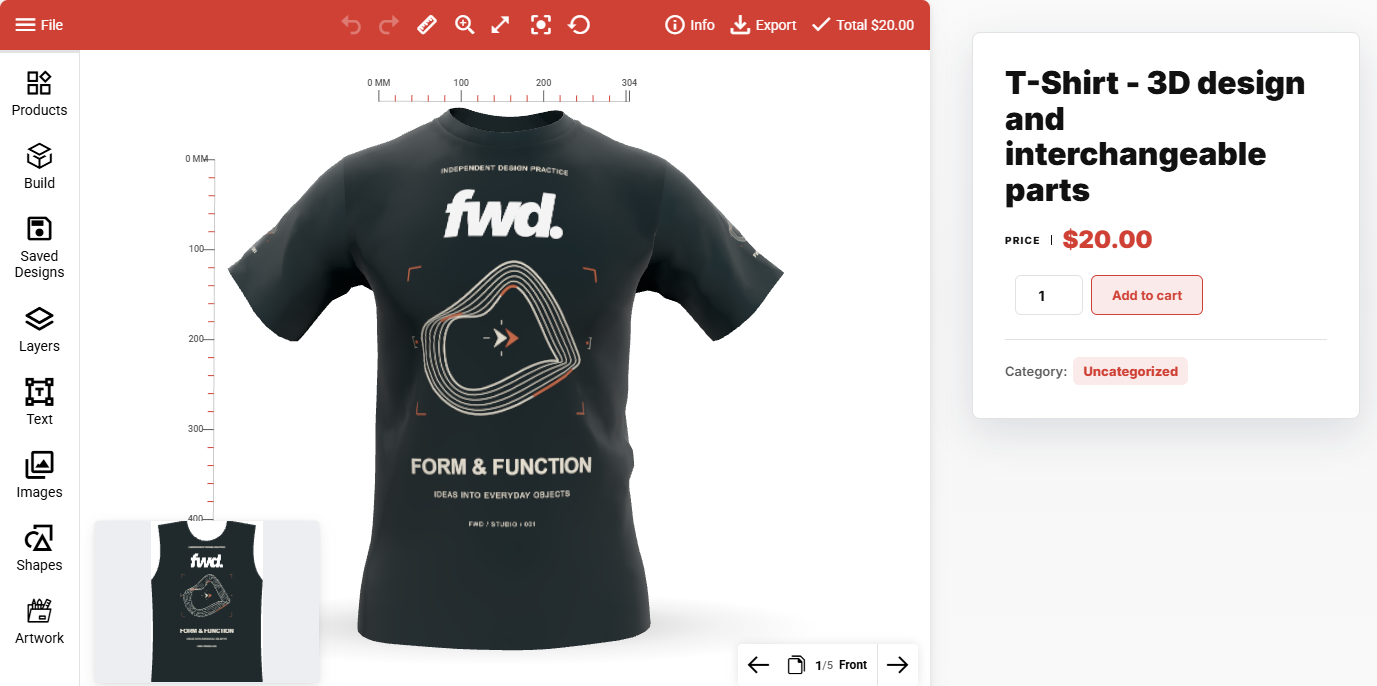
WooCommerce T-shirt product with editable 3D artwork, a 2D preview and Add to cart
Personalize in 3DAdd text, images and artwork to a product, then purchase the finished design through WooCommerce.
WooCommerce ring builder with interchangeable stone options, option prices and Add to cart
Build before buyingChoose interchangeable parts, inspect the result in 3D and see the price of each available option.

Customer Workflow

Choose a model, select an editable part, add your design and inspect it from every angle. Save your work or prepare the files you need.

1

Choose a product

Choose one of six models or start from a saved design, then select the part you want to edit.

2

Add content

Insert text, images, shapes or categorized artwork from module libraries.

3

Edit precisely

Move and resize artwork in 2D or 3D, adjust materials and use rulers and snapping for placement.

4

Export or save

Create previews, downloads, print files, product ZIP exports or saved designs.

Export, Print and Production

Choose a flat 2D preview or a rendered 3D image for presentation. Production export uses the printable 2D artwork, with the configured print area, bleed, DPI and element exclusions.

Supported output formats

Preview, print or download the current view or all views. Export an editable product ZIP with its JSON, GLB and referenced assets when you need to reuse the complete setup.

Transparent image PNG
Flattened image JPG
Vector preview SVG
Document export PDF

Production controls

  • Printing boxDefines the exact editable/exportable print area per view.
  • Bleed and DPIControl extra edge area and raster output resolution.
  • UnitsDisplay ruler and dimensions in px, mm, cm or inch while keeping product data predictable.
  • Exclude rulesKeep structural base layers visible in the editor while exporting only the printable artwork.

Secondary Features

Small tools make the editor feel complete: shortcuts, undo and redo, editable bounds, fixed or floating toolbars, live dimensions, custom dialogs and API methods.

Public API

Create a product from a GLB File, switch views, manage saved designs and trigger preview, download, print or export from your own interface.

Configurable UI

Use grouped settings for the action bar, modules, dialogs, toolbar, preview, download, canvas and libraries.

Standalone integration

Load the designer into your own page and connect its API and events to your application. These demos do not require a WordPress installation.

Make your model the next product.

Use the ten included products, from apparel and paper products to rings and watches, as references for 3D views, materials, print boxes, UV silhouettes, artwork libraries and production export settings.